
Most of the CMS conversation, including a lot of what we cover on this blog, is about public-facing websites. But there's a whole other category of content management that happens entirely behind the scenes: internal wikis, onboarding documentation, process guides, and the general knowledge base that keeps a company running without everyone having to ask the same questions in Slack every week.
This is a genuinely different problem from managing a public website, and it's worth treating it that way rather than just repurposing whatever CMS you already use for your marketing site.
Why internal knowledge management is a different problem
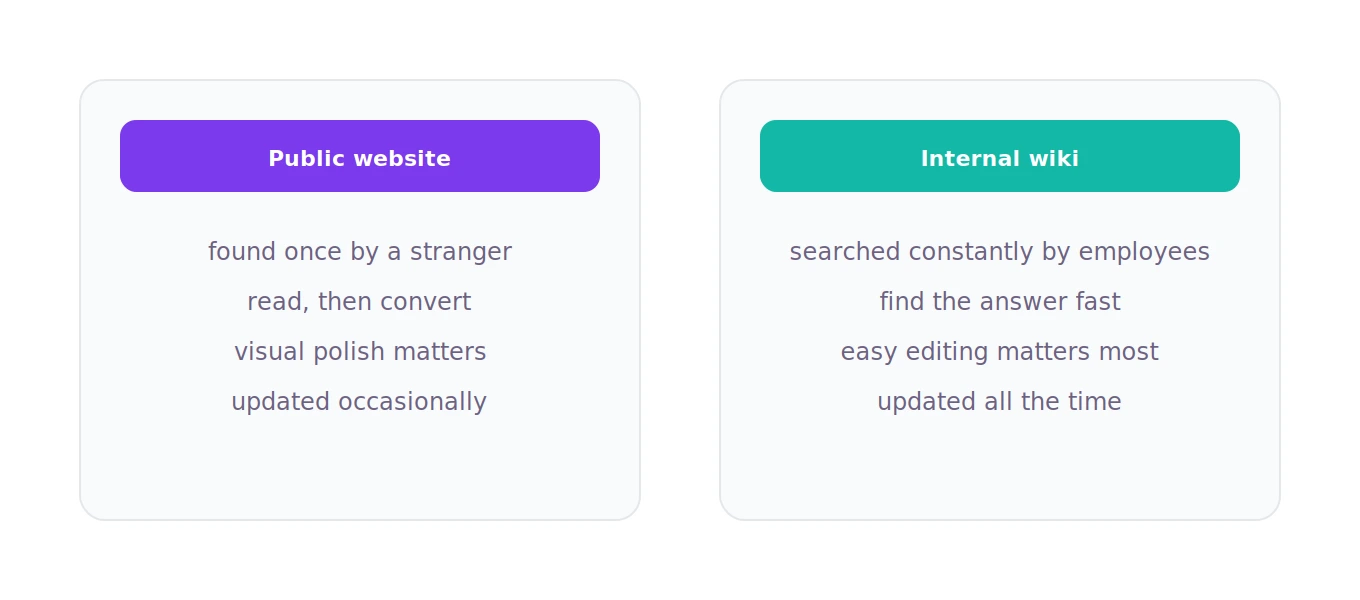
A public website is built to be found, read once by a stranger, and convert them into a lead or a customer. An internal wiki is built to be searched constantly by people who already work at your company, updated frequently as processes change, and trusted enough that people actually use it instead of just asking a coworker directly.
That difference in purpose changes what actually matters. Search quality matters enormously, since people are trying to find a specific answer quickly, not browse. Easy editing matters even more than on a public site, since the whole point is that anyone on the team can update a process doc without waiting on a web team. Version history and permissions matter in ways they often don't for public content, since you need to track who changed what, and control who can edit sensitive internal information. And a clean, fast search experience usually matters more than visual design, since nobody's evaluating your internal wiki's aesthetic, they just want the answer.
The realistic options
There are a few genuinely different approaches here, and which one fits depends on how your team actually works.
Dedicated wiki and knowledge base tools like Notion, Confluence, or similar purpose-built platforms are usually the simplest starting point for most companies. They're built specifically around the internal knowledge use case, fast search, easy collaborative editing, comments, permissions, without requiring any setup or technical maintenance. For most small to mid-sized companies, one of these tools is genuinely the right answer, not because it's the only option, but because it solves the actual problem without unnecessary overhead.
A traditional CMS repurposed for internal use, something like WordPress running privately behind a login, can work if you already have that CMS in-house and want a single system managing both your public site and internal docs. This is less common in practice because traditional CMS platforms aren't optimized for the fast, frequent, collaborative editing that internal wikis need, but it's a reasonable choice if you have very specific reasons to keep everything on one platform.
A headless CMS as the backend for a custom internal tool makes sense for larger companies with specific internal workflow needs that off-the-shelf wiki tools don't quite fit, custom permission structures, integration with internal systems, or a very particular internal app experience. This requires real development investment, so it only makes sense when the off-the-shelf options have a genuine, specific gap for your situation.
What actually matters when you're choosing
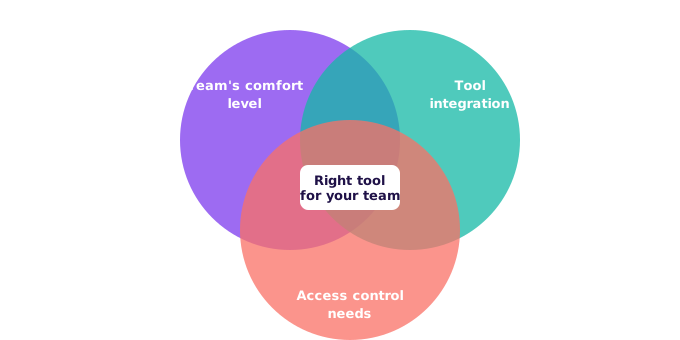
Rather than getting caught up in feature comparisons, it helps to ask a few practical questions.
How technical is your team, realistically? If most employees aren't comfortable with anything beyond a simple text editor, a polished, purpose-built tool like Notion or Confluence will get far more actual adoption than something that requires more technical comfort to use well. An internal wiki nobody updates is worse than no wiki at all, since people stop trusting it the moment it goes stale.
How important is integration with your other tools? If your team lives in Slack, Google Workspace, or Microsoft 365, checking how well a given knowledge base tool integrates with what you already use day to day matters more than most people initially expect.
Who needs access, and how carefully do you need to control it? Sensitive internal documentation, HR policies, financial processes, security procedures, may need more granular permission controls than a simple wiki tool offers out of the box, which might push you toward more enterprise-focused options.
The honest bottom line
For most companies, a dedicated tool built specifically for internal knowledge management is going to serve you better than trying to stretch a public-facing CMS into that role. The purpose-built tools exist because this really is a different problem with different priorities, fast search, easy collaborative editing, and genuine day-to-day adoption matter more here than the flexibility and public-facing polish a typical website CMS optimizes for.
The best internal wiki is the one your team actually uses, and adoption usually comes down more to ease of use than any specific feature list. Start there, and let your specific needs, permissions, integrations, scale, guide you from that baseline rather than starting from a feature comparison spreadsheet.
If your company has gone through choosing or switching internal knowledge management tools, we'd genuinely like to hear what worked and what didn't. Real experiences with internal adoption are exactly the kind of practical insight that's hard to find in generic tool comparisons.